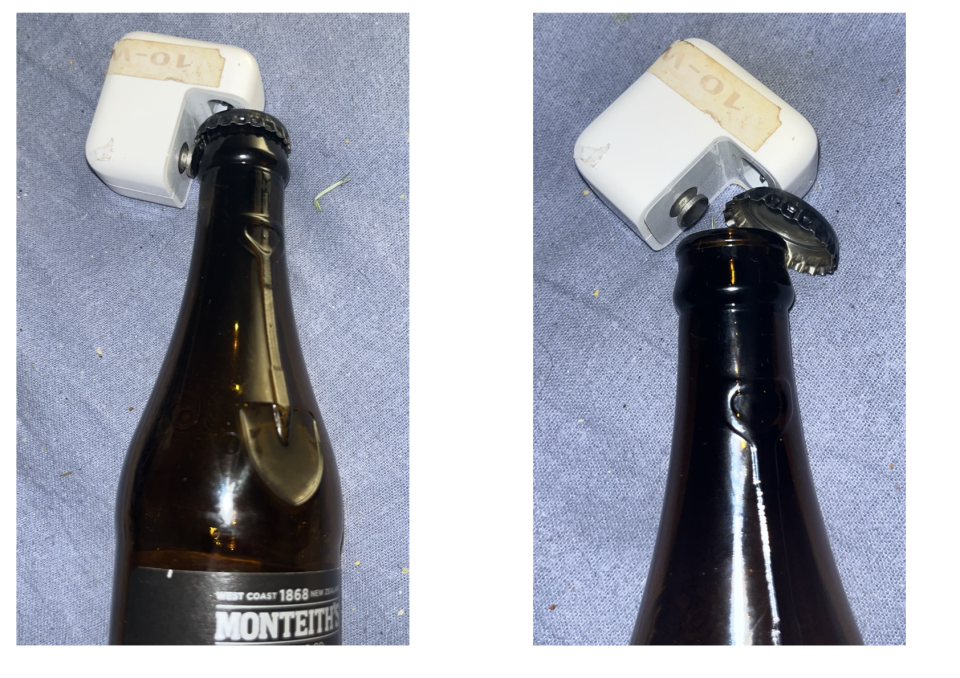
How to open the crown seal of a beer bottle with an iPad charger.
In 2007 I bought a used dual 867 MHz processor G4 PowerMac from a friend. Included in that purchase was a license for a utility called Tech Tool Pro version 4. This is now up to version 21, licensed users of previous versions can upgrade to newer versions at a reduced cost.
The developers, MicroMat, have just released a free reduced-capability Lite version dubbed TechTool Lite, on my MacBook Neo it occupies under 50 MB of space vs 120 MB for the paid Pro version. The attachment shows the tests and tools which the Lite version can perform.
I have had to revert to the web app to upload the image from my Photos Library as the attempt to use Nice app on both Mac and iPad resulted in the “Failed” attachment issue once again.

AUSTRALIAN GOVERNMENT FIRE HOSE SPECIFICATIONS:
All hose is to be made of a long hole, surrounded by canvas, rubber or plastic around the hole.
All hose is to be hollow throughout the entire length - do not use holes of different length than the hose.
The I.D. (inside diameter) of all hose must not exceed the O.D. (outside diameter) - otherwise the hole will be on the outside.
All hose is to be supplied with nothing in the hole so that water can be put inside at a later date.
All hose over 500ft (153m) in length should have the words "long hose" clearly stencilled on each end so the firefighter will know it is a long hose.
Hose over 2 miles (3.2km) in length must also have the word "long hose" stencilled in the middle so the firefighter will
not have to walk the entire length of the hose to determine whether or not it is a long hose or short hose.
All hose over 6 inches (152mm) in diameter must have the words "large hose" stencilled on it so the firefighter will not mistake it for a small hose.
Be sure to specify to the CFA (Country Fire Authority) whether you want level, uphill or downhill hose.
If you use downhill hose for going uphill, the water will flow the wrong way.
Nice app isn't being very nice with uploading or displaying posts with photos on the Mac. The last one I tried from the Photos library displayed "Failed" in red on the thumbnail and also failed to upload.
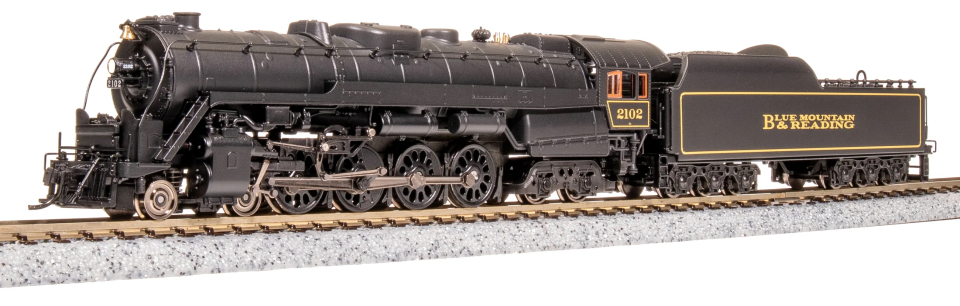
Photos of two completely different models of the Reading 2102 steam locomotive. One was downloaded from the internet for reference purposes, the other (wooden) one was made by a now-deceased elderly friend 20 years ago.

Tried uploading a couple of photos from the Photos Library on my MacBook Air with the Nice app on the same Mac. Looked good on the old web app but when viewed in the Nice app all I could see was the two images separately with none of the text.
So I'll put the same thing up via the web app using desktop images and see how the result ;looks in Nice app.